

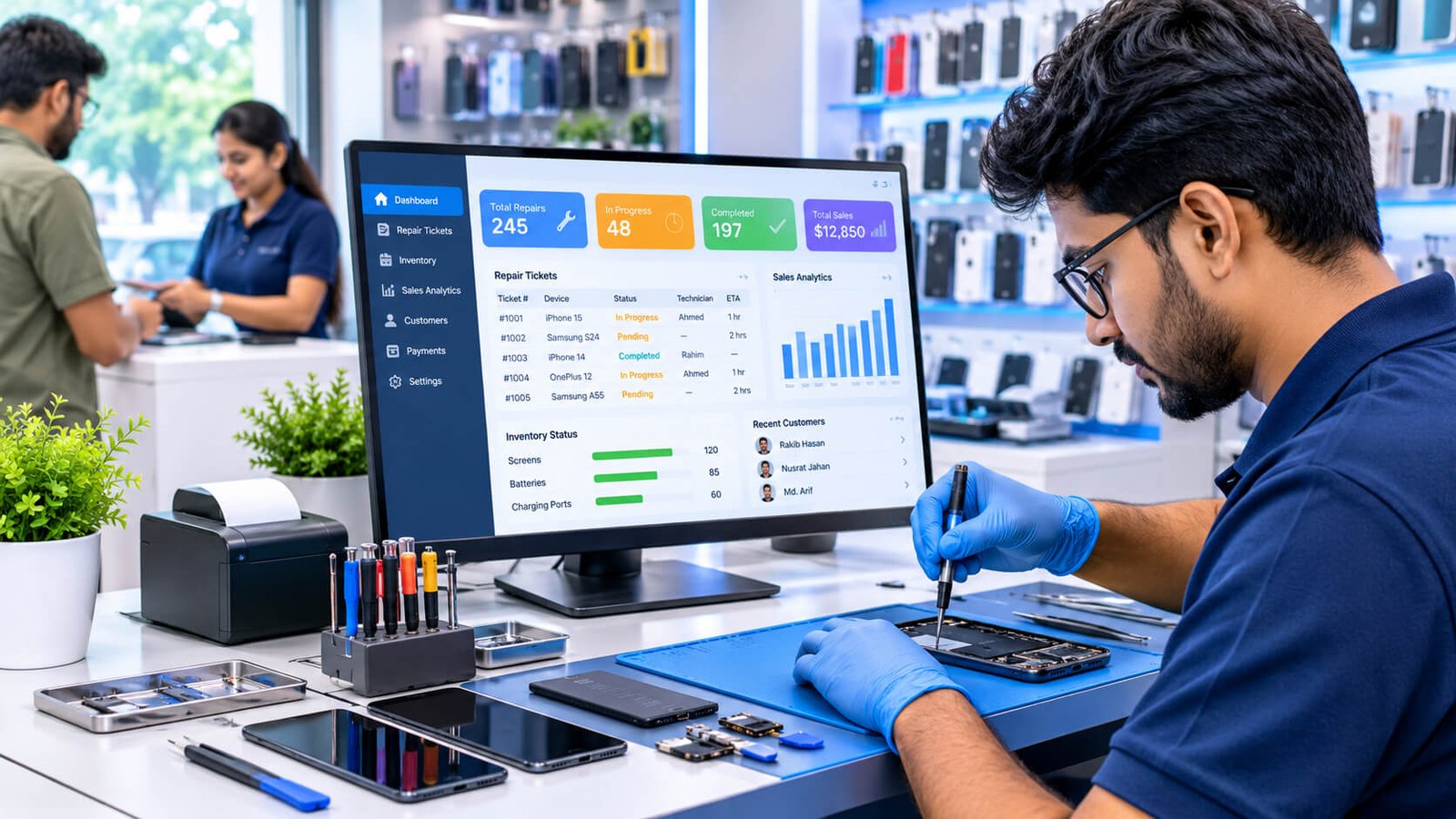
Running a mobile phone repair business involves much more than fixing damaged smartphones. From managing repair requests and tracking customer devices to monitoring spare parts, processing payments, and handling warranties, shop owners have several responsibilities to manage every day. Without an organised system, even a busy repair shop can struggle with missed deadlines, inventory problems, and poor customer communication. This is where phone repair shop POS software becomes an important business tool.
A specialised point-of-sale (POS) system helps phone repair businesses manage their daily operations from one central platform. Instead of maintaining separate spreadsheets, handwritten repair records, and manual inventory lists, shop owners can use dedicated software to organise repair jobs, monitor sales, track parts, and maintain customer records.
Whether you operate a small mobile repair shop or manage multiple repair locations, choosing the right POS solution can improve efficiency, reduce administrative work, and create a better customer experience.
In this guide, we will explore the essential features, benefits, and considerations for choosing the right POS software for your phone repair business.
What Is Phone Repair Shop POS Software?
Phone repair shop POS software is a specialised business management system designed to help mobile phone repair shops manage sales, repair orders, inventory, customer information, and payments.
Unlike traditional retail POS systems, which mainly focus on product sales and checkout operations, repair-focused POS software includes additional tools for managing repair workflows.
For example, when a customer brings an iPhone with a broken screen, the shop can create a repair ticket, record the device details, describe the problem, assign a technician, and estimate the repair cost. The system can then track the job until the device is repaired and returned to the customer.
Depending on the software, additional capabilities may include:
- Repair ticket and work order management.
- Customer and device history tracking.
- Spare parts and inventory management.
- Technician assignment and performance monitoring.
- Sales and payment processing.
- Repair status notifications.
- Warranty and service history management.
- Business reports and analytics.
By combining these operations into one system, repair businesses can manage their activities more accurately and consistently.
Why Do Phone Repair Shops Need Specialised POS Software?
Many repair businesses initially manage their operations using notebooks, spreadsheets, or general-purpose billing software. These methods may work when the business handles only a few repair jobs each day.
However, as the number of customers increases, manual management becomes more difficult.
Consider a repair shop handling 20–30 devices daily. Each device may have a different problem, repair cost, technician, replacement part, and delivery deadline. Tracking all this information manually increases the possibility of mistakes.
A dedicated POS system addresses these challenges by organising business information in one place.
Here are some common problems that specialised software can help solve.
1. Difficulty Tracking Repair Orders
Without a proper repair management system, employees may struggle to identify which devices are waiting for inspection, under repair, or ready for collection.
A repair ticket system provides a clear record of every job and its current status.
2. Poor Inventory Management
Phone repair shops often stock different screen assemblies, batteries, charging ports, cameras, and other replacement components.
Manual inventory tracking can lead to stock shortages, inaccurate counts, and unnecessary purchases.
Inventory management tools help shop owners monitor available parts and identify when new stock is needed.
3. Disorganised Customer Records
Customers may return for additional repairs or warranty-related services. Without organised records, employees might struggle to find previous repair details.
Customer management features make it easier to access contact information, device details, service history, and previous transactions.
4. Limited Business Performance Visibility
Shop owners need to understand daily sales, repair revenue, expenses, outstanding payments, and technician productivity.
POS reporting tools provide business insights that support better operational decisions.
Essential Features of Phone Repair Shop POS Software
Not every POS system is designed for repair businesses. Before choosing a solution, shop owners should understand which features are most important.
1. Repair Ticket Management
Repair ticket management is one of the most important features of phone repair shop POS software.
It allows employees to create a digital record whenever a customer submits a device for repair.
A typical repair ticket should include:
- Customer name and contact information.
- Device brand and model.
- IMEI or serial number, where appropriate.
- Reported device problem.
- Visible physical damage and device condition.
- Accessories received with the device.
- Estimated repair cost.
- Assigned technician.
- Expected completion date.
- Repair status.
This information helps employees understand the repair requirements and reduces communication errors.
2. Real-Time Repair Status Tracking
Customers frequently contact repair shops to ask whether their devices are ready.
A repair tracking feature makes it easier to answer these questions.
Common repair statuses include:
| Repair Status | Description |
|---|---|
| Received | Device has been accepted by the shop. |
| Diagnosis | Technician is checking the device. |
| Waiting for Parts | Required replacement components are unavailable. |
| In Progress | Repair work is underway. |
| Quality Check | Completed repair is being tested. |
| Ready for Pickup | Device is ready for collection. |
| Completed | Customer has collected the device. |
Some systems also support automated SMS or email notifications, allowing customers to receive updates without repeatedly calling the shop.
3. Inventory and Spare Parts Management
Spare parts represent a significant operational expense for many phone repair businesses.
A specialised POS system should allow shop owners to monitor inventory levels and track parts used in individual repair jobs.
Important inventory capabilities include:
- Product and spare part categorisation.
- Stock quantity tracking.
- SKU and barcode management.
- Purchase and supplier records.
- Low-stock alerts.
- Stock adjustment history.
- Parts consumption tracking.
- Inventory valuation.
For example, when a technician replaces an iPhone screen, the software can record the component used and automatically update the available inventory if the system supports repair-linked stock deductions.
This helps prevent inventory discrepancies and improves purchasing decisions.
4. Customer Relationship Management (CRM)
Maintaining strong customer relationships is essential for long-term business growth.
A POS system with CRM capabilities allows businesses to store customer information and maintain a history of their interactions.
Customer records may include:
- Full name and phone number.
- Email address.
- Previous repair orders.
- Purchased accessories.
- Payment history.
- Warranty information.
- Customer communication history.
These records help employees provide more personalised service and respond quickly to returning customers.
5. Integrated Billing and Payment Processing
An efficient checkout process is important for both retail sales and repair services.
The software should generate professional invoices for repair services, replacement parts, accessories, and other products.
Look for features such as:
- Customisable invoices.
- Tax and discount management.
- Multiple payment methods.
- Partial payments and deposits.
- Outstanding balance tracking.
- Refund and transaction records.
- Digital receipts.
Payment options may include cash, cards, mobile wallets, and other locally supported payment methods.
6. Technician Management
When multiple technicians work in the same shop, assigning and monitoring repair jobs becomes important.
Technician management features help owners assign repair orders, monitor job progress, and review completed work.
Useful capabilities include:
- Technician assignment.
- Individual repair workload tracking.
- Repair completion records.
- Job turnaround reporting.
- Labour cost tracking.
- Technician performance reports.
This helps managers distribute work more efficiently and identify operational bottlenecks.
7. Warranty and Service History Management
Warranty management is another important feature for phone repair businesses.
Customers may return when a replaced screen, battery, or other component develops a problem.
A proper system should record warranty terms and connect warranty information with the original repair ticket.
Important details include:
- Original repair date.
- Replaced component.
- Warranty duration.
- Warranty expiration date.
- Previous warranty claims.
- Repair-related notes.
This helps employees verify warranty eligibility and maintain consistent service records.
8. Sales and Business Reporting
Business reporting helps owners understand how their repair shop performs.
Instead of relying on assumptions, managers can use reports to evaluate sales, repair volume, inventory movement, and profitability.
Useful reports include:
- Daily and monthly sales.
- Repair revenue.
- Retail product sales.
- Outstanding payments.
- Inventory valuation.
- Best-selling accessories.
- Most frequently repaired devices.
- Technician productivity.
- Customer purchase history.
These insights help owners identify opportunities to improve profitability and business operations.
Benefits of Using POS Software for a Phone Repair Business
Implementing specialised software can improve several areas of a repair shop’s daily operations.
Improved Operational Efficiency
Automating repair records, billing, and inventory updates reduces repetitive administrative work.
Employees can spend less time searching for information and more time assisting customers and completing repairs.
Better Customer Experience
Customers appreciate knowing what is happening with their devices.
Digital repair tracking, accurate estimates, and timely notifications make the repair process more transparent.
Reduced Inventory Errors
Automated stock tracking helps shop owners maintain more accurate inventory records.
It also makes it easier to identify slow-moving products and frequently used replacement parts.
More Accurate Financial Records
Centralised transaction records help businesses monitor revenue, payments, refunds, and outstanding balances.
This improves financial visibility and supports better planning.
Easier Business Expansion
For businesses planning to open additional branches, a centralised POS system can make it easier to manage multiple locations.
Depending on the software, managers may be able to review branch performance, inventory levels, and repair activity from one dashboard.
How to Choose the Best Phone Repair Shop POS Software
Choosing the right system requires more than comparing subscription prices.
The software should match your business requirements, repair workflow, budget, and future growth plans.
Consider the following factors before making a decision.
Understand Your Business Requirements
Start by identifying the problems you want the software to solve.
A small repair shop may primarily need repair ticket management, billing, and basic inventory tracking.
A larger operation may require multiple locations, advanced reporting, technician management, and automated customer notifications.
Check Repair-Specific Features
Do not assume that every retail POS system can manage repair operations.
Confirm that the platform supports repair tickets, device information, repair statuses, technician assignments, and warranty tracking.
Evaluate Ease of Use
The system should be easy for employees to learn and operate.
A complicated interface can slow down daily activities and increase staff training requirements.
Ask for a live demonstration before purchasing.
Review Pricing and Additional Costs
Compare the complete cost of ownership rather than looking only at the monthly subscription.
Consider:
- Monthly or annual subscription fees.
- Additional user charges.
- Branch or location fees.
- Payment processing charges.
- Hardware requirements.
- Training and onboarding costs.
- Premium integrations.
Check Data Security and Backup Options
Repair shops handle customer contact information and potentially sensitive device-related records.
Choose software that offers appropriate access controls, secure data transmission, reliable backups, and clear data retention policies.
Staff should only access the information necessary for their responsibilities.
Confirm Customer Support Availability
Reliable technical support is important, particularly when POS software is used for daily sales and repair operations.
Check support availability, response times, training resources, and software update policies.
Common Mistakes to Avoid When Selecting Repair Shop POS Software
Even a feature-rich system may not be suitable for every business.
Avoid these common mistakes:
- Choosing software based only on price: A cheaper platform may lack essential repair management features.
- Ignoring inventory integration: Separate repair and inventory records can create stock management problems.
- Overlooking reporting capabilities: Without useful reports, it becomes harder to evaluate business performance.
- Not testing the system: Always request a demonstration or trial before committing.
- Ignoring scalability: Consider whether the system can support additional technicians, users, or branches.
- Neglecting data protection: Review security, backup, and user permission features before storing customer information.
Is Cloud-Based POS Software Better for Phone Repair Shops?
Cloud-based POS software is becoming a popular option for businesses that want flexible access to their operational information.
Traditional locally installed systems generally rely more heavily on specific computers or local infrastructure. Cloud-based platforms typically store business data on remote servers and allow authorised users to access the system through an internet connection.
Here is a comparison:
| Feature | Cloud-Based POS | Traditional On-Premise POS |
|---|---|---|
| Remote Access | Usually supported | Depends on configuration |
| Software Updates | Often automatic | May require manual updates |
| Initial Infrastructure | Usually lower | May require local hardware |
| Data Backup | Provider-dependent | Business-managed or provider-dependent |
| Internet Dependency | Often requires internet | May support offline operation |
| Scalability | Often easier | May require additional infrastructure |
The best option depends on your operational requirements.
For businesses with multiple locations or owners who need remote access, cloud-based software may offer greater flexibility. However, businesses with unreliable internet connections should carefully evaluate offline functionality and synchronisation options.
Frequently Asked Questions (FAQs)
1. What is phone repair shop POS software?
Phone repair shop POS software is a business management solution designed to handle repair tickets, customer records, inventory, billing, payments, and repair tracking. It helps repair businesses manage their daily operations from one system.
2. Can POS software track mobile phone repair orders?
Yes. Repair-focused POS software can create digital repair tickets and track devices through different stages, including device reception, diagnosis, repair, quality checking, and customer collection.
3. Does phone repair POS software include inventory management?
Many specialised systems include inventory management features for tracking spare parts, accessories, stock quantities, supplier details, and inventory movement.
4. Can I manage multiple technicians using repair shop POS software?
Yes. Depending on the platform, you can assign repair jobs to individual technicians, monitor progress, review completed work, and evaluate workload distribution.
5. Is cloud-based POS software suitable for small mobile repair shops?
Yes. Cloud-based systems can be suitable for small businesses because they often provide remote access, centralised records, and simplified software updates. However, check subscription costs and internet requirements before choosing one.
6. Can POS software manage repair warranties?
Many repair management systems allow businesses to record warranty periods, original repair details, replaced components, and warranty claims. Available functionality varies by provider.
7. How much does phone repair shop POS software cost?
Pricing depends on the provider, number of users, available features, locations, and subscription model. Some providers offer entry-level plans, while advanced repair management platforms may charge higher monthly or annual fees.
8. Can I use one POS system for phone repairs and mobile accessories?
Yes. Many repair-focused POS systems support both service management and retail sales. This allows businesses to manage repair revenue, phone accessories, spare parts, and other products within one platform.
9. Is it difficult to switch from manual records to POS software?
The transition can be relatively straightforward with proper planning. Businesses should organise existing customer information, inventory records, product details, and outstanding repair orders before migrating to a new system.
10. What is the most important feature of phone repair shop POS software?
Repair ticket management is one of the most important features because it helps businesses organise every repair job. However, inventory tracking, customer management, billing, and reporting are also essential for efficient operations.
Final Thoughts
Managing a phone repair business requires coordination between customers, technicians, spare parts, repair schedules, and payments. As a business grows, relying on manual records can make these responsibilities increasingly difficult.
The right phone repair shop POS software brings essential business operations together, helping owners manage repair orders, monitor inventory, process transactions, and maintain customer records more efficiently.
Before choosing a platform, evaluate its repair-specific functionality, ease of use, pricing, security, reporting, and scalability. Most importantly, select a solution that fits your current workflow while supporting your future business goals.
Investing in the right system can help transform a disorganised repair operation into a more efficient, transparent, and professionally managed business.